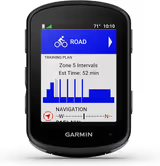
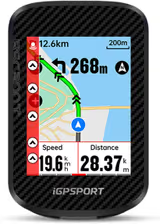
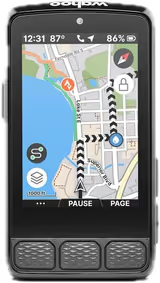
Garmin Edge 540 vs Wahoo ELEMNT ROAM V3 vs iGPSPORT BSC300T

Three units spanning 290 dollars. The cheapest has the longest battery life and the most expensive has the best screen, which is not the shape most buyers expect.

Published August 23, 2026
When you purchase through links on our site, we may earn an affiliate commission. Here's how it works.
Our pick

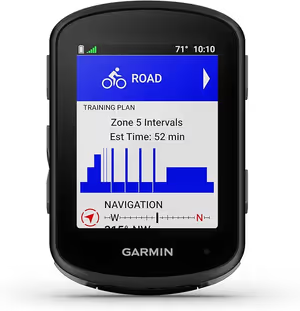
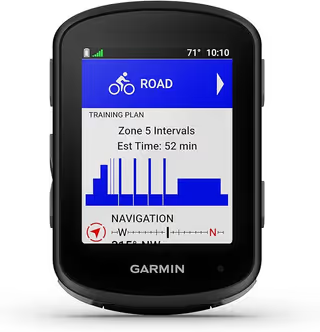
Garmin Edge 540 Cycling Computer
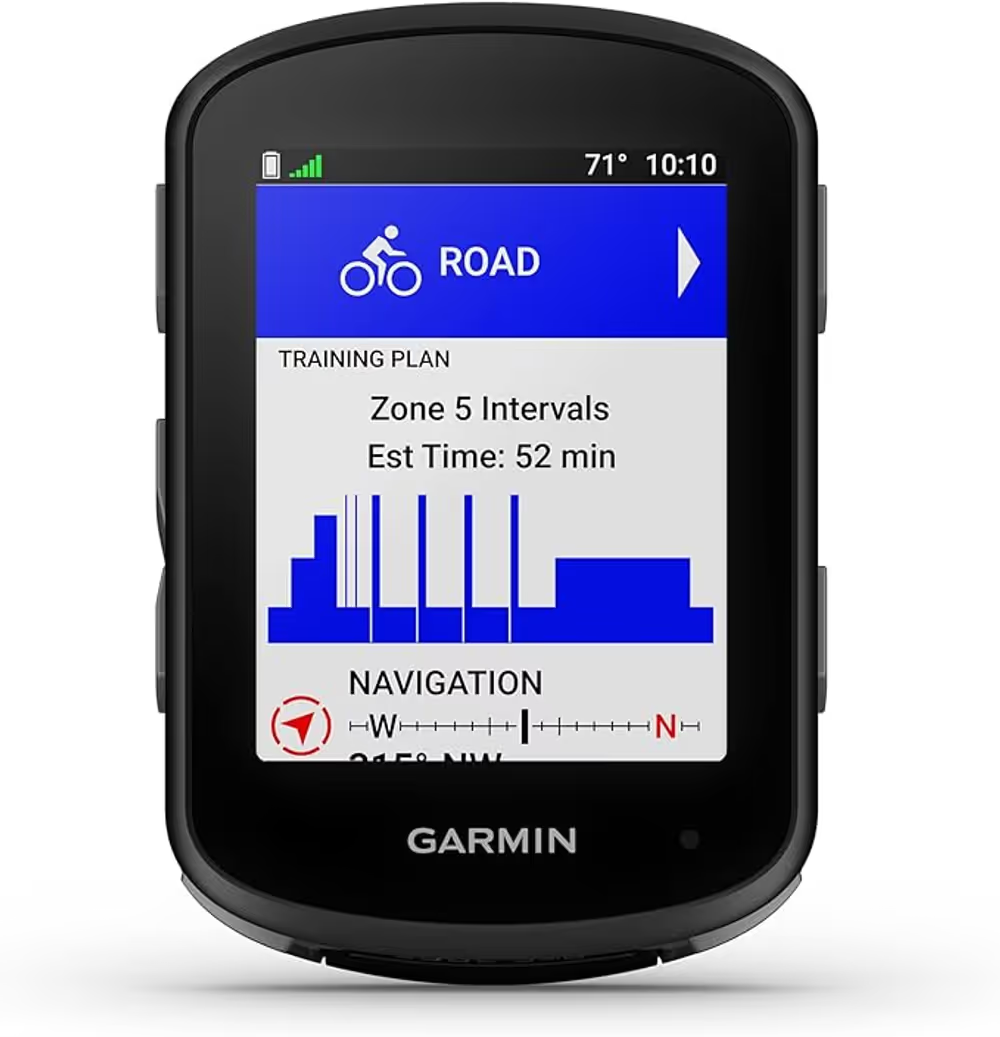
The dependable choice if you can absorb the price. Button control and Garmin's routing are worth real money on a route you do not know.

Check price

A bikepacking GPS has a different job from a training computer. It has to follow a route you loaded before you left, stay legible in direct sun, survive rain, and last long enough between charges that your power bank is not doing all the work.

The figure that matters is runtime with navigation active and the screen on, which is not the number any of them quotes. Manufacturer battery claims are measured with the screen asleep and navigation off, which is close to meaningless for this use, so the numbers below come from owner reports of real navigation use.

Nothing here is a bad unit. What separates them is which compromise they made, and two of the three made a compromise that is easy to live with.

Side by side

  Garmin Edge 540 Cycling Computer Wahoo ELEMNT ROAM V3 Cycling Computer iGPSPORT BSC300T GPS Computer
Our score 4.4/5 4.0/5 3.9/5
Price $327.99 $418.76 $172.99
Controls Buttons, not touchscreenButtons
Navigation Full turn-by-turn with routable mapsTurn-by-turn with rerouting
Battery Long, with battery saver mode20 hours
Ecosystem Garmin Connect and Varia integration
Screen Large colour, high contrast
Setup Phone-first via the Wahoo app
Display 2.4 inch Touchscreen
Sensors ANT+ / Bluetooth
Feature Turn-by-turn GPX navigation

Battery under navigation

Winner: iGPSPORT BSC300T GPS Computer

The BSC300T claims 20 hours and delivers something close to it with navigation running, which is longer than either of the others. The Wahoo's 17 hours is real but it is the shortest here, and on a three-day trip that means charging every night rather than every other night. The cheapest unit lasting longest is not a fluke: it is running a simpler processor and a smaller map database, and battery is what it buys with the things it does not do.

Screen legibility

Winner: Wahoo ELEMNT ROAM V3 Cycling Computer

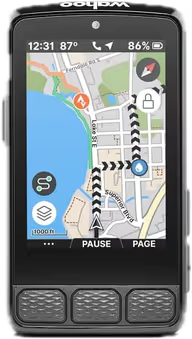
The ROAM's 2.7 inch 64-colour screen is the best display here by a clear margin, and it uses colour for information rather than decoration, highlighting climbs and navigation prompts rather than making the map pretty. It stays readable in direct desert sun and in heavy rain. The Garmin's screen is small but crisp and monochrome-legible in any light. The iGPSPORT's touchscreen is sharp indoors and becomes laggy and unreliable the moment it is wet.

Route file handling

Winner: Wahoo ELEMNT ROAM V3 Cycling Computer

Dual-band GPS is the differentiator, and it matters more on this kind of riding than on any other. In deep canyons and under dense tree canopy the ROAM holds position where the other two drift, and its Back on Track rerouting works when you have missed a turn. The Garmin follows a loaded GPX reliably and reroutes less gracefully. The iGPSPORT imports GPX and gives turn-by-turn prompts, with maps noticeably less detailed than either rival.

Glove and wet-hand operation

Winner: Garmin Edge 540 Cycling Computer

Buttons beat touchscreens for this and both button units beat the iGPSPORT decisively. The Garmin's are small but positive and work with full winter gloves. The Wahoo's convex tactile buttons are arguably better designed and only lose this axis because the unit is bigger and the buttons are further apart than a cold hand wants. The iGPSPORT's touchscreen is genuinely difficult when wet, which is a real limitation on a device you navigate by.

Durability and mounting

Winner: Garmin Edge 540 Cycling Computer

The Garmin is the smallest and lightest of the three and there is simply less of it to break. The Wahoo is well built and rated IPX7, with a charging port cover that is finicky enough to be listed as a con. The iGPSPORT's supplied mount is the weak point of the whole package and feels cheap in the hand, which is a poor place to economise on a unit you are trusting to stay on a bar over washboard.

Value

Winner: iGPSPORT BSC300T GPS Computer

At 109.90 dollars the BSC300T does roughly 80 percent of what a 400 dollar unit does, and the 20 percent it gives up is mostly map detail and wet-weather usability. The Garmin at 199.99 is the balanced buy rather than the cheap one. The Wahoo at 399.99 is asking nearly four times the iGPSPORT price for a better screen and dual-band positioning, which is worth it to some riders and to nobody on a budget.

What A Bikepacking GPS Is Actually For

It is not a training computer. Nobody on day three of a gravel tour cares about normalised power.

The job is: follow this file, stay readable, do not die before camp, and do not stop working when it rains. Judged on that, the ranking looks different from every review that scores these units on training features.

That is also why the cheapest unit here wins the battery axis. It is not doing as much, and on this kind of riding most of what it is not doing does not matter.

The Price Curve Is Not Linear

From 110 dollars to 200 dollars you gain buttons, a better mount, real durability and Garmin’s ecosystem. That is the biggest step in the comparison and it is only 90 dollars.

From 200 dollars to 400 dollars you gain a much better screen and dual-band positioning. Both are real, both are noticeable, and neither will change whether you complete a route. That is a 200 dollar step for a smaller improvement than the first one.

The middle of the curve is where the value sits, which is why the Garmin takes the overall pick despite winning only two axes.

[[related:why-your-gps-died-managing-power]]

Battery Is A System, Not A Number

The unit that dies first does not necessarily cost you the most, because it depends what else is on your charging plan.

If you are already carrying a 10,000 mAh bank for lights and a phone, a 17 hour unit is fine and the Wahoo’s screen advantage is free. If you are running a minimal setup and want to go three days without charging anything, the iGPSPORT’s 20 hours is doing real work for you.

Work out your charging plan first, then pick the unit. Doing it the other way round is how people end up carrying a second power bank to feed a computer they bought for its screen.

[[related:best-budget-bikepacking-gear]]

Which one for you

Best overall Garmin Edge 540 Cycling Computer

The one to buy if you want buttons, a legible screen and reliable route following without spending four hundred dollars.

Best on a budget iGPSPORT BSC300T GPS Computer

Longest battery here and it follows a GPX properly. Accept the touchscreen and the mount, save 90 dollars.

Best for genuine navigation Wahoo ELEMNT ROAM V3 Cycling Computer

Buy it for the dual-band GPS and the screen if you ride canyons and forest where position accuracy actually decides things.

The full reviews

Garmin // Best For Route Navigation //
4.4 (533 ratings at the retailer)

Garmin Edge 540 Cycling Computer

Tech Specs

Controls
Buttons, not touchscreen
Navigation
Full turn-by-turn with routable maps
Battery
Long, with battery saver mode
Ecosystem
Garmin Connect and Varia integration
Buttons work with cold wet fingers, which is when you need the map most.

Touchscreens fail in exactly the conditions where navigation matters. Wet fingers, thick gloves and driving rain all defeat capacitive screens, and a device you cannot operate is worse than no device because you stop to fight it. Buttons work regardless, which is the strongest argument for the 540 over its touchscreen siblings.

Read the full review

Garmin's routing is the other reason people pay this much. Turn-by-turn on routable maps, rather than a breadcrumb line you follow by eye, is the difference between navigating and guessing at a junction. Course rerouting when you go wrong is where cheaper units drop out entirely.

It also pairs with the Varia radar, which for anyone linking gravel sectors with road miles is a genuine safety feature rather than a gadget, putting approaching traffic on the same screen you are already looking at. That integration is a real part of what the price buys and it is not something the budget units can replicate.

The objection is straightforward. It costs five times the competent budget units, and for a rider who mostly follows a pre-loaded GPX on known roads the extra buys convenience rather than capability. Battery life is strong but not class-leading, and the screen is small if maps are your main use.

The Verdict

The dependable choice if you can absorb the price. Button control and Garmin's routing are worth real money on a route you do not know.

GravelPacker score How we score
4.4/5
Durability
4.5
Performance
4.5
Usability
4.5
Value
4
  • Buttons work in rain and gloves
  • True turn-by-turn routing with rerouting
  • Integrates with Varia radar
$327.99
Checked Aug 2026
Buy on Amazon

The Good

  • + Buttons work in rain and gloves
  • + True turn-by-turn routing with rerouting
  • + Integrates with Varia radar
  • + Mature ecosystem and long support life

The Bad

  • Five times the price of capable budget units
  • Small screen for map reading
  • Overkill for following a pre-loaded GPX
Wahoo // Best For Route Navigation //
3.9 (244 ratings at the retailer)

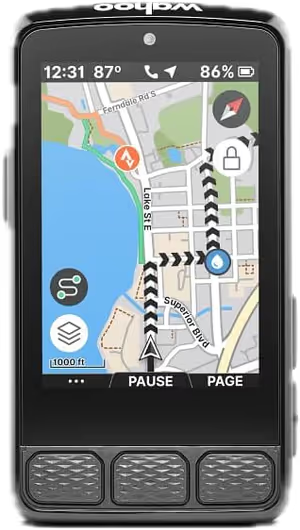
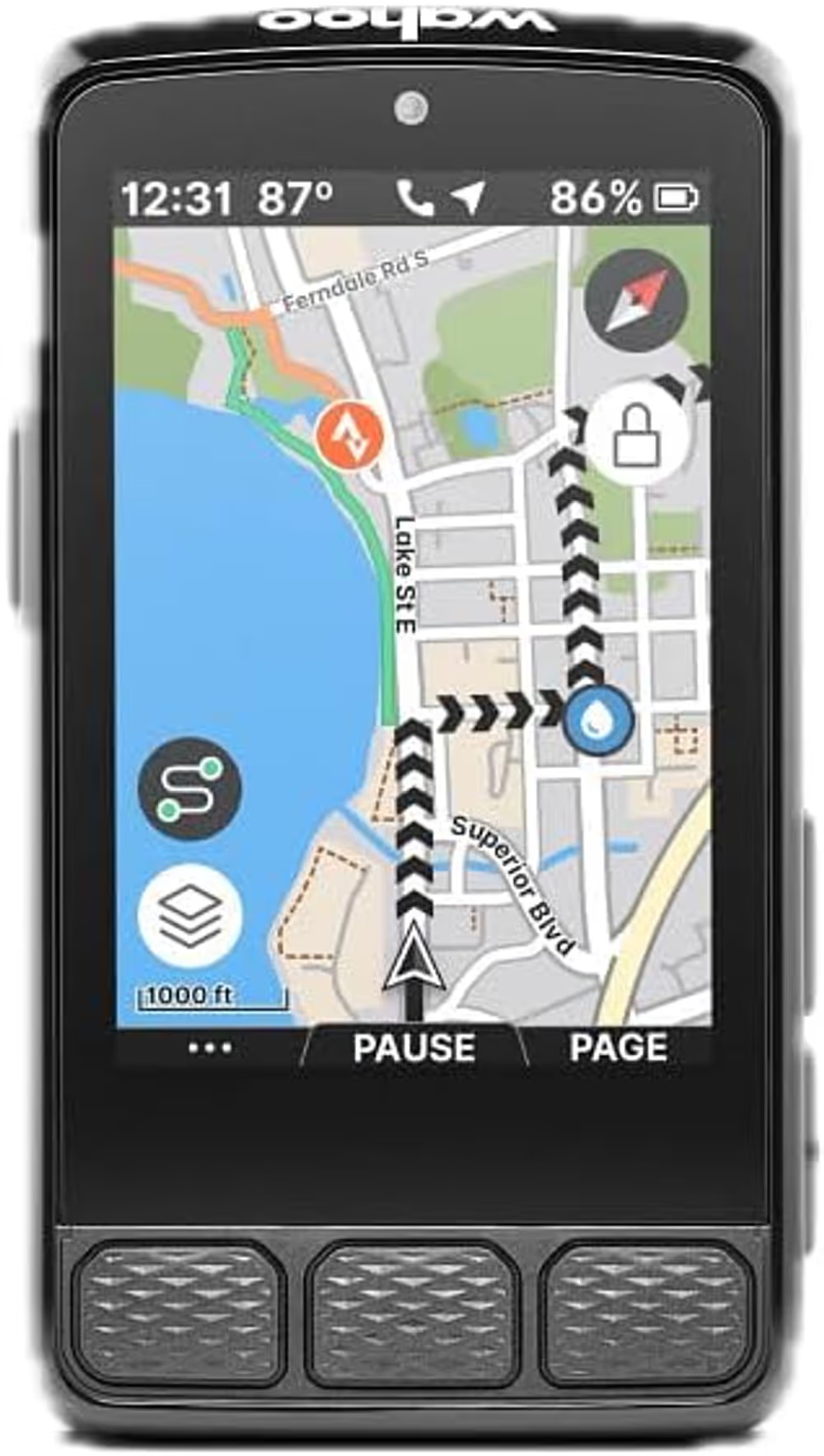
Wahoo ELEMNT ROAM V3 Cycling Computer

Tech Specs

Screen
Large colour, high contrast
Setup
Phone-first via the Wahoo app
Controls
Buttons
Navigation
Turn-by-turn with rerouting
The biggest usable screen, configured from a phone instead of a menu tree.

Configuration is where cycling computers lose people. Garmin's depth comes with a menu tree that has to be navigated on a small screen with buttons, and Wahoo's answer is to move all of it into a phone app where a real keyboard and a big display make it quick. For riders who change data fields between trips, that difference compounds.

Read the full review

The screen is the other half. It is larger and higher contrast than the equivalent Garmin, which matters when a map is the thing you are reading rather than a number. In bright sun and at a glance it is the easiest unit here to read.

Navigation covers turn-by-turn with rerouting, which puts it in the same functional class as the Edge 540 rather than the budget route-followers, and it will compute a way back when you leave the course. Battery life is long enough for genuine multi-day use between charges, which is the specification that matters on a tour.

The price is the problem, and the rating reflects a mixed reception: at over four hundred dollars buyers expect everything, and the ROAM's feature set is deliberately narrower than Garmin's. If you want training analytics rather than navigation, this is the wrong device at the wrong price.

The Verdict

Easier to live with than a Garmin and more expensive than one. The screen and the phone-first setup are the reasons to choose it, not the spec sheet.

GravelPacker score How we score
4.0/5
Durability
4
Performance
4
Usability
4.5
Value
3.5
  • Largest, highest-contrast screen here
  • Setup and data fields configured from the phone
  • Turn-by-turn navigation with rerouting
$418.76
Checked Aug 2026
Buy on Amazon

The Good

  • + Largest, highest-contrast screen here
  • + Setup and data fields configured from the phone
  • + Turn-by-turn navigation with rerouting

The Bad

  • The most expensive unit on this list
  • Narrower feature set than Garmin at the price
  • Mixed owner reception in recent reviews
iGPSPORT // Best For GPS Navigation

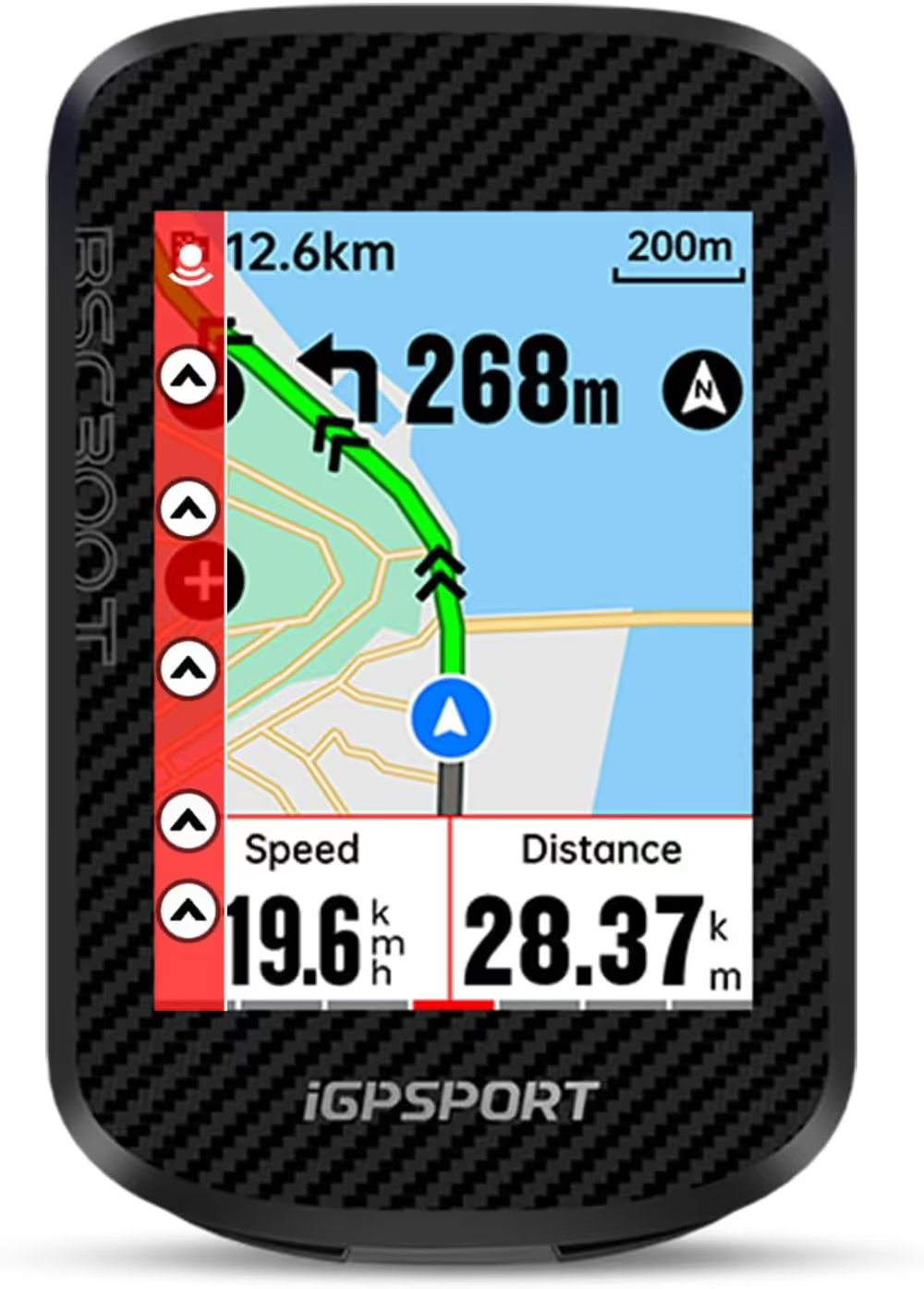
iGPSPORT BSC300T GPS Computer

Tech Specs

Display
2.4 inch Touchscreen
Battery
20 hours
Sensors
ANT+ / Bluetooth
Feature
Turn-by-turn GPX navigation
Touchscreen navigation with 20-hour battery for under £100. Garmin, take note.

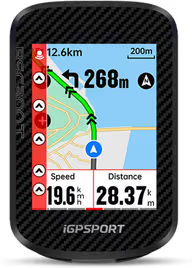
At roughly half the price of a Garmin Edge 540, the BSC300T delivers a surprisingly competent navigation experience. The 2.4-inch touchscreen is sharp and responsive, and the turn-by-turn navigation with GPX route import works reliably for following pre-planned gravel routes. It syncs with both ANT+ and Bluetooth sensors (heart rate, cadence, power), making it compatible with virtually any sensor ecosystem you already own. This high-quality gear is designed specifically for the rigors of multi-day bikepacking adventures across varying terrain. It represents a solid investment for anyone looking to build a reliable and ultralight setup without compromising on essential features or durability.

Read the full review

The standout feature for bikepackers is the 20-hour battery life, which means you can ride for two full days without needing to charge. The mapping isn't as detailed as Garmin's, but for following a GPX breadcrumb trail on gravel roads, it's more than adequate. The build quality feels solid, with a clear screen that's readable in direct sunlight. For anyone who wants GPS navigation but can't justify £300+ for a Garmin, this is the answer.

The Verdict

The budget GPS computer that actually delivers. Half the price of Garmin, 80% of the features.

GravelPacker score How we score
3.9/5
Durability
3.5
Performance
4
Usability
3.5
Value
4.5
  • 20-hour battery life
  • Touchscreen navigation
  • ANT+ and BLE compatible
$172.99
Checked Aug 2026
Buy on Amazon

The Good

  • + 20-hour battery life
  • + Touchscreen navigation
  • + ANT+ and BLE compatible

The Bad

  • Maps less detailed than Garmin
  • Touchscreen laggy when wet
  • Mount feels cheap

Frequently Asked Questions

Do I need dual-band GPS for bikepacking?

Only if you ride where position drifts, which means deep canyons, dense conifer forest and steep-sided valleys. On open gravel any of these three holds a line accurately enough to navigate by. If you have ever watched a track wander 40 metres off a road you were definitely on, dual-band is what fixes that.

Is 17 hours of battery enough for a multi-day trip?

For a weekend, yes, with a small power bank as insurance. For anything longer it means a nightly charge, which competes with your lights and your phone for the same battery. The practical answer is that battery figures decide how big a power bank you carry, so a shorter-lived unit costs you weight elsewhere.

Can you navigate a route on the Edge 130 Plus?

It follows a loaded GPX with turn prompts and a breadcrumb line, which is what most bikepacking navigation actually is. What it does not have is full basemaps, so if you leave the route it shows you a line and your position rather than the surrounding road network. Plan on riding the route you loaded.

Is the iGPSPORT touchscreen really that bad in the rain?

It is the unit's clearest weakness. Wet fingers and a wet screen produce missed and phantom inputs, which is frustrating on a device you use to check a turn. If most of your riding is dry, it is a non-issue and the unit is excellent value. If you ride in the Pacific Northwest, buy buttons.

Which one has the best mount?

Garmin and Wahoo both ship quarter-turn mounts that are solid and interchangeable with a large aftermarket. The iGPSPORT mount is the part of that package we would replace first, and doing so eats into the price advantage a little.
Reviewer

Louis Raveton

Louis runs GravelPacker and is accountable for what it publishes. He wrote the scoring rubric the product reviews are graded against and decides what ships. The pieces under his byline are the desk-research ones: comparisons and explainers built from spec sheets, owner reports and the rubric, not from a test lab.