Guides
10 Best Kindle Books for Bikepackers (Weightless Adventure Reading)
Save weight and space on your next tour with our favorite Kindle reads for bikepackers, from technical maintenance guides to global adventure memoirs.
There is a unique type of panic that sets in when you are forty miles deep into a national forest at dusk. Your GPS screen flickers once before going completely black. You look at your phone and see three percent battery remaining.
Suddenly your epic weekend feels like a legitimate survival situation. I spent three hours bushwhacking through a drainage in Utah because I did not realize how much power my map redraws were pulling. GPS units are remarkably efficient, but they are absolutely not magic.
If you are riding twelve hours a day with full sensor connectivity, you are going to run out of juice. Managing your power is not about carrying massive power banks. It is about aggressively reducing your constant burn rate.
The biggest power draw on your unit is not the satellite signal acquisition. It is the backlight and the screen redraws. If you have your backlight set to eighty percent so it looks crisp, you are throwing away half your runtime.
Auto-brightness algorithms are terrible and usually keep the screen far brighter than necessary. Set it to ten percent or completely off, and only bump it up when you are struggling under direct sunlight. Constantly redrawing a complex topographic map screen is taxing on the weak processors inside these units.
I spend most of my ride on a simple data page showing speed and distance. I only swipe over to the map when I approach a tricky intersection or an unmarked fork. If you know the next twenty miles are on a single forest road, set your screen to timeout entirely.
Not a hypothetical gear list. This is the exact kit I rode with, ranked by how much I reached for each item, with honest assessments of what earned its weight.
Do you really need to know your exact cadence and left-right power balance on a four-day gravel tour? Every sensor you pair with your unit causes a constant power draw as the radio struggles to stay connected. If you are struggling with battery life, immediately unpair the heart rate strap and the power meter.
You must also completely disable phone notifications on your head unit. Every time your GPS buzzes to tell you someone liked your Instagram post, it eats a tiny slice of your survival margin. Put your phone in dedicated Airplane Mode immediately at the trailhead.
This stops the phone from desperately searching for nonexistent towers, which is the number one reason phone batteries die in the woods. It also keeps your essential electronics totally isolated from each other.
Avoid overpacking! Our ultimate beginner bikepacking gear list covers every essential for your first multi-day gravel trip, from bags to sleep systems.
I never let my GPS get below twenty percent before I plug it into my Anker Power Bank. Lithium batteries become wildly inefficient and unpredictable at the extreme bottom ends of their charge cycle. If it hits single digits, it might die instantly when the temperature drops.
Charging your unit while you ride is fine, but you must be incredibly careful with the USB port. The constant high-frequency vibration of gravel roads can cause a straight cable to wiggle wildly. This microscopic movement will eventually destroy the internal pins of the port and ruin a three-hundred-dollar device.
I use a cheap 90-degree USB cable and lash it tightly to my stem with electrical tape. This ensures there is absolutely zero tug on the fragile connector. Navigate with ruthless intent, because a dead GPS makes for a very long walk home.
Save weight and space on your next tour with our favorite Kindle reads for bikepackers, from technical maintenance guides to global adventure memoirs.

From practical guides like Bikepacking Illustrated to global epics like Two Years on a Bike, we review 13 essential books for every adventure cyclist's library.
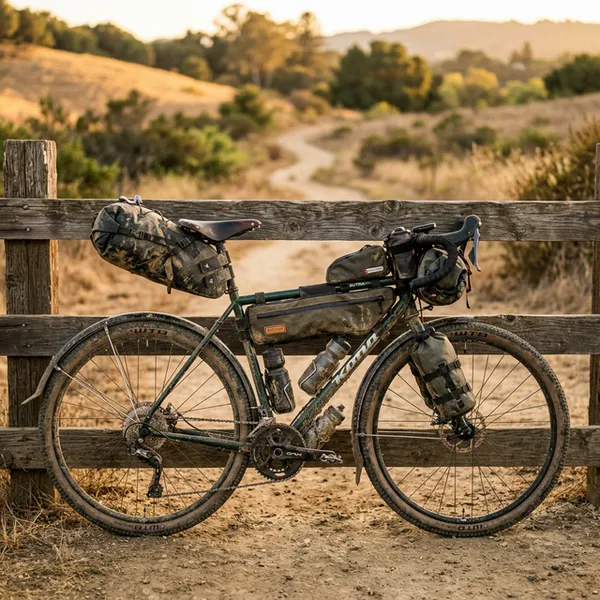
A swaying bikepacking saddle bag destroys your cornering and wastes energy. Learn how to pack your tail bag properly to completely kill the pendulum effect.
Based in Colorado, Ryan is the guy who spends his Friday nights plotting questionable out-and-back routes. He focuses on practical, budget-conscious setups that work. He's learned the hard way that you don't need a $500 tent to sleep well in the woods.